
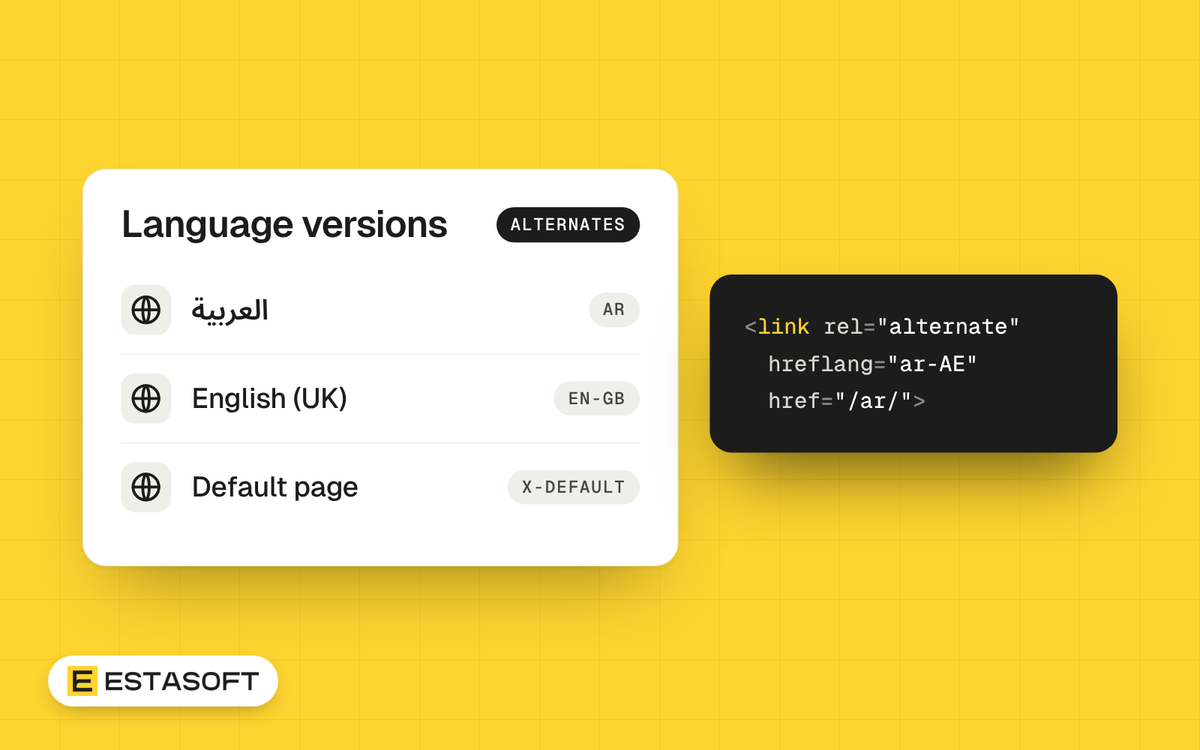
This guide is for owners and web managers who run, or plan to run, the same website in Arabic and English. After reading it, you can write correct hreflang tags, choose language and country codes, and test the result in Google Search Console. We checked Google's documentation on 30 October 2026. The page we used shows Google's own last update date of 21 September 2026.
Hreflang is a hint, not a ranking trick. Google describes it as a way to point users to the most appropriate version of a page by language or region. We do not promise that it lifts positions or traffic. Its job is to lower the chance that an Arabic reader lands on the English page, or the other way round.
What hreflang does, and what it does not do
- It tells Google which URLs are versions of the same page in other languages or regions.
- It does not tell Google what language a page is written in. Google says it does not use hreflang or the HTML lang attribute for that. It reads the visible content, so the Arabic page must really be in Arabic.
- It does not make translations count as duplicates. Google says localized versions are considered duplicates only if the main content stays untranslated.
Three ways to add hreflang
Google says the three methods are equivalent, and that using all three gives no benefit in Search. Pick one and keep it current.
HTML link elements
This suits small sites. Put one line for every version in the head of every version, including the page itself:
- <link rel="alternate" hreflang="en" href="https://www.example.com/services/" />
- <link rel="alternate" hreflang="ar" href="https://www.example.com/ar/services/" />
HTTP header
This is for files that are not HTML, such as PDFs. The server sends a Link header for each version, in the form Link: <https://example.com/file.pdf>; rel="alternate"; hreflang="en".
XML sitemap
This suits larger sites, because all the pairs live in one place. Each url entry holds an xhtml:link for every version, including its own address, and the urlset declares the namespace http://www.w3.org/1999/xhtml. A sitemap file is still limited to 50 MB uncompressed or 50,000 URLs, and every alternate you list adds to the size, so large sites split their files.
A worked example for Arabic and English
Say the English page is https://www.example.com/services/ and the Arabic page is https://www.example.com/ar/services/. Both pages carry the same three lines:
- <link rel="alternate" hreflang="en" href="https://www.example.com/services/" />
- <link rel="alternate" hreflang="ar" href="https://www.example.com/ar/services/" />
- <link rel="alternate" hreflang="x-default" href="https://www.example.com/services/" />
The English page lists itself and the Arabic page. The Arabic page lists the same set, which gives the English page its return link. The x-default line is the fallback for people whose language matches none of your versions. Google says it takes no language code and works best on a language selector page. Here we point it at the English page, but a selector page is also valid.
Country versions: ar-AE, ar-IQ, en-GB, en-US and en-CA
Add a country only when the content differs for that country, for example local prices, shipping or legal text. The code is the language, a hyphen and the country:
- ar: Arabic for readers anywhere.
- ar-AE: Arabic for readers in the United Arab Emirates.
- ar-IQ: Arabic for readers in Iraq.
- en-GB: English for the United Kingdom, the code Google uses in its own examples.
- en-US: English for the United States, also in Google's examples.
- en-CA: English for Canada.
Google's rules for the codes are short. The language part comes from ISO 639-1 and the optional country part from ISO 3166-1 alpha-2. A language on its own is valid, but a country on its own is not. EU, UN and UK have no effect, so use GB for the United Kingdom. Codes outside these lists, such as es-419, are not supported. When several versions share one language, Google advises adding a catch-all page for readers of that language in places you did not list. If you have ar-AE and ar-IQ pages, add an ar page as well.
Arabic dialects and Kurdish
Use ar for every Arabic page. W3C's language tag guidance shows codes for single varieties, such as afb for Gulf Arabic, but Google's hreflang page lists only ISO 639-1 codes. For dialect words, work on the page text instead, as in Arabic SEO basics.
Kurdish is harder. Kurdish as a whole has the two-letter code ku. Sorani Kurdish has the three-letter code ckb, which WordPress uses as its locale for Kurdish (Sorani). Google's page does not mention ckb, so we cannot say how Google treats it. Whichever value you choose, test it as the routine below shows, and write the Kurdish pages fully in Kurdish. More on Kurdish setups is in Arabic and Kurdish WordPress sites.
Canonicals, redirects and robots.txt
- Canonical tags: Google calls rel="canonical" a strong signal that the named URL should become canonical. A canonical on the Arabic page that points to the English page therefore asks Google to treat the Arabic page as the duplicate. Our advice is to point each version at itself.
- Redirects: Google advises against redirecting visitors by guessed language or location. Googlebot usually crawls from the USA and sends no Accept-Language header, so it may never see the Arabic version.
- robots.txt: Google describes robots.txt as a file that tells crawlers which URLs they can access, so it cannot read the tags on a page it is not allowed to fetch. Keep every version crawlable.
Common mistakes
- Missing return links. Google says that if two pages do not point to each other, the tags are ignored.
- Relative or protocol-less addresses. Google wants fully qualified URLs, so https://example.com/foo works and /foo does not.
- Wrong codes: a country alone, UK for the United Kingdom, or a made-up value.
- A page that leaves out its own address from its own set.
- Alternate URLs that redirect, return an error or sit behind a login. This is our own checking advice, not a line from Google's page: each one should be a live, public page.
- A menu in Arabic over a body in English. Google reads the content, not the label.
A testing routine with Search Console
- View the source of the English and Arabic pages. Confirm both carry the same set of tags and that each set includes the page's own address.
- In the URL Inspection tool, inspect one URL per language. In the indexed result, compare the Google-selected canonical with the user-declared canonical. They should match. Then use Test live URL to confirm Google can fetch the current page.
- In the Page indexing report, look at your Arabic URLs under Not indexed. Read statuses such as Alternate page with proper canonical tag, Duplicate without user-selected canonical, and Duplicate, Google chose different canonical than user.
- If the tags live in a sitemap, open the Sitemaps report and check that the status is Success.
- In the Performance report, use the Pages and Countries tabs to see which Arabic URLs get impressions and in which countries.
- Run an independent checker. Google's page links to two third-party tools, Aleyda Solis's hreflang tags generator and Merkle's hreflang testing tool, and says it does not maintain or check them.
- Repeat after every template, URL or language change. Google says validation of an indexing fix typically takes up to about two weeks, so allow time.
Questions owners ask
Will hreflang improve my rankings?
Google's documentation does not make that claim. It describes hreflang as help in pointing users to the right version. Treat it as correct housekeeping for a multilingual site, not as a ranking tool.
Do I need the tags on every page?
Every page that has a translation should carry the full set. Google says you can leave some languages out on some pages and it still processes the pairs that point to each other. Link newer language pages back to your original or main language pages first.
Can I use ckb for Sorani Kurdish?
Google's page lists only ISO 639-1 codes and does not mention ckb, so its handling is undocumented. Test it on your own site and watch the Page indexing and Performance reports. If you want to stay inside the documented format, ku is the two-letter Kurdish code.
Need a hand?
If you want help with the technical SEO of a multilingual site, read about our SEO and growth and web development services, or send a short brief on the contact page. For the market view behind these choices, see SEO in the Middle East.
Sources
- Google Search Central: Tell Google about localized versions of your page
- Google Search Central: Managing multi-regional and multilingual sites
- Google Search Central: How to Specify a Canonical with rel="canonical" and Other Methods
- Google Search Central: Build and submit a sitemap
- Google Search Central: Robots.txt introduction and guide
- Google Search Console Help: URL Inspection tool
- Google Search Console Help: Page indexing report
- Google Search Console Help: Sitemaps report
- Google Search Console Help: Performance report (Search results): Overview and basic setup
- W3C: Language tags in HTML and XML
- WordPress Polyglots: Teams, locale ckb
- Kurdish Academy: Language identifier codes for the Kurdish language
- Localizely: Language code ku
- IBAN.com: Country codes (ISO 3166 list)