
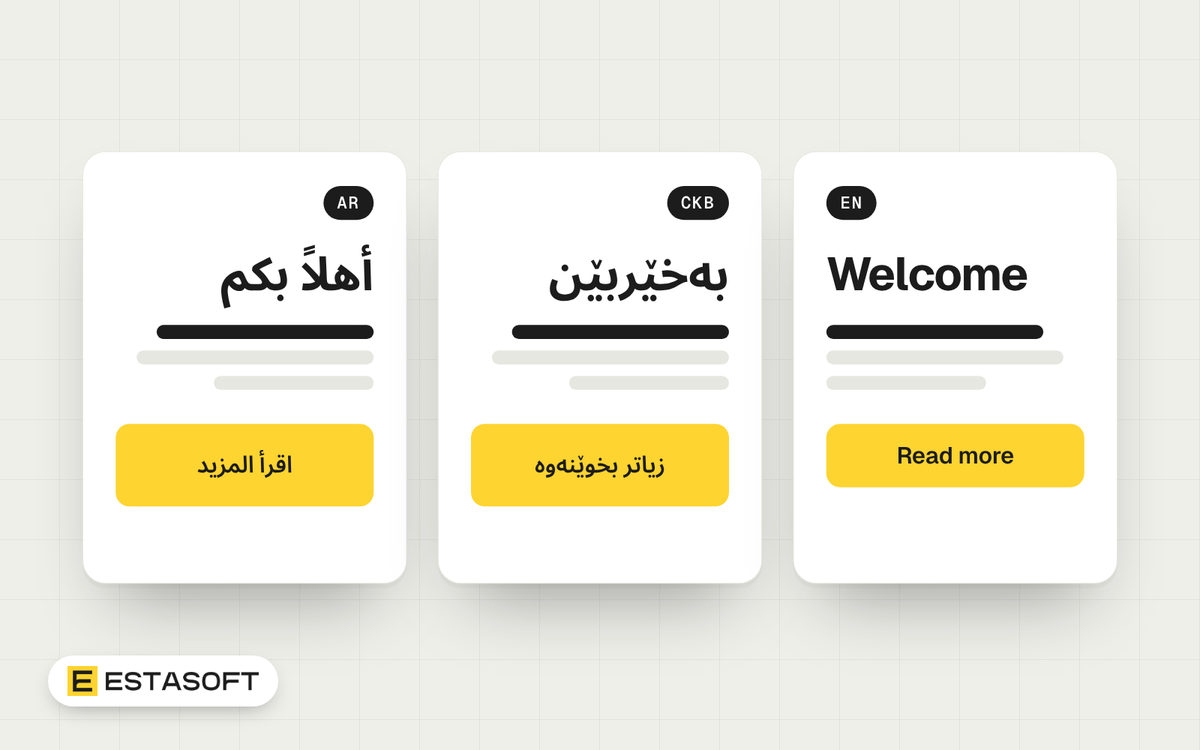
This guide is for owners and managers planning an Arabic and Kurdish WordPress site, with or without English. After reading it you will know the language codes WordPress uses, what makes a theme ready for right-to-left (RTL) text, how Polylang, WPML and TranslatePress differ on paper, and what to test before launch.
We checked every point on 30 October 2026. Plugin features and limits change often, so where we describe a plugin it is what the official documentation stated on that date. Confirm it again before you buy.
Language codes: what WordPress calls Arabic and Kurdish
The WordPress translation platform, translate.wordpress.org, lists its locales on the front page. On 30 October 2026 the Arabic and Kurdish entries were Arabic (ar), Moroccan Arabic (ary), Algerian Arabic (arq), Kurdish (Sorani) (ckb) and Kurdish (Kurmanji) (kmr). There was no entry for Iraq or the UAE alone, so readers there use ar. The Polyglots team page for ckb listed a language pack for WordPress 7.1.3, the latest release it showed.
Pick one Kurdish variety on purpose. Sorani (ckb) and Kurmanji (kmr) are separate locales. W3C guidance explains that ku is a macrolanguage that includes ckb and kmr, and that in most cases you should use the more specific code. So ckb is the better value for the lang attribute on Sorani pages.
Search engines are a separate question. Google's hreflang guide says only language codes listed in ISO 639-1 and region codes listed in ISO 3166-1 Alpha 2 are supported. ISO 639-1 codes have two letters, and ckb has three. The guide does not mention ckb or Kurdish at all, so do not assume ckb works in hreflang. The two-letter code ku covers Kurdish as a whole, so it is the value to test first, but it cannot tell Sorani from Kurmanji. Google also says it does not use hreflang or the HTML lang attribute to detect the language of a page. Test your Kurdish pages in Search Console. Our hreflang guide for Arabic and English covers the setup.
In Settings > General, Site Language is the dashboard language, and Week Starts On defaults to Monday. Change it if your team works to another week.
How WordPress decides a page is right to left
Direction comes from the locale, not from your theme. WordPress reads the translation of the word ltr in the text direction context, and the translators of a language set it to rtl. When they do, the function is_rtl() returns true (it exists since WordPress 3.0). The function get_language_attributes() then adds dir="rtl" to the html tag, and only for RTL locales (since WordPress 4.3.0).
Check it on an Arabic page: view the page source and read the opening html tag. If dir and lang are missing or wrong, fix the language pack, the theme or a plugin.
What theme and plugin authors must do
- Include an RTL stylesheet. Polylang's guide says a theme must include an rtl.css file to support RTL languages properly. The Learn WordPress lesson on themes tells buyers to check for one.
- Declare it with wp_style_add_data and the rtl key (the function dates from WordPress 3.6.0). The older WordPress Codex guide describes two routes: copy style.css to rtl.css and edit it by hand, or generate it with a tool such as RTLCSS or CSSJanus.
- In a hand-made rtl.css, the Codex guide says to set direction: rtl and unicode-bidi: embed on the body, swap left and right values, and mirror margins, padding and borders.
- Keep email addresses, phone numbers, postal codes and URLs left to right with direction: ltr.
- Plugin authors use is_rtl() to load RTL-specific styles or scripts. Ask each vendor about forms, menus, sliders and checkout.
To shortlist themes, tick "RTL language support" under Features in the WordPress.org theme directory. Then ask for a demo in Arabic or Sorani, not the English demo.
Multisite or one site with a plugin?
WordPress Multisite runs several sites from one installation. The documentation says each site has its own content tables, and only the user table is shared. It suits cases where each language is run as a separate site, perhaps by a separate team. The price is more to manage, because every language is a site to edit and update.
One site with a translation plugin keeps one set of settings and links each page to its translations. These are the three plugins we compared, using their own documentation.
Polylang
- It includes 132 predefined languages, and you can create a custom language by filling in the fields.
- Each language has a locale (a valid WordPress locale), a unique language code (the guide says ISO 639-1 two-letter codes), a text direction of LTR or RTL, a flag and an order.
- URLs can use the language code in a directory, in a query string, or subdomains and domains that point to the same WordPress root. You can hide the code for the default language.
- A multilingual shop also needs the Polylang for WooCommerce add-on.
- Its features page credits Polylang Pro with automatic hreflang and Open Graph tags. Check what your version outputs.
- For Sorani, note that its guide names two-letter codes while ckb has three letters. Ask your developer to test a custom Sorani language before you commit.
WPML
- Language URLs can be directories such as /es/, a different domain or subdomain per language, or a parameter such as ?lang=fr. Directories need pretty permalinks and the Apache rewrite module. A domain per language needs DNS and server setup.
- You can create custom languages. Its language setup page does not cover RTL, so ask the vendor how it handles RTL before you buy.
- An SEO option called Display alternative languages in the HEAD section adds hreflang links. With Yoast SEO or Rank Math and the sitemap on, the links go into the sitemap instead.
- It adds a language switcher to the footer by default.
TranslatePress
- Its documentation says the free version limits translation languages to two. The Multiple Languages add-on allows as many as you need, with 160+ secondary languages to choose from.
- A custom language has a code used in the URL, a name, a native name, an automatic translation code, a flag and a Text RTL checkbox.
- Each language gets a slug in the URL. A different domain per language is an add-on in its Business and Developer plans, and wp-admin then works only on the main domain. Its FAQ still says subdomain setups do not work, so confirm this with the vendor.
- Translated strings are saved in the _trp_ tables of your WordPress database.
- It says RTL display depends on your theme, and it adds body classes such as .translatepress-ar for language-specific CSS.
Polylang and TranslatePress both say the theme must provide the RTL support. A plugin does not fix a theme that is not RTL-ready.
URL structure and search
Google's guide to multi-regional sites compares four options. A country domain gives clear geotargeting but can be costly and target one country. A subdomain is easy to set up, but visitors may not tell whether the prefix means language or country. A subdirectory such as example.com/ar/ is easy to set up and low maintenance, with one server location. URL parameters are labeled not recommended. For most company sites, language folders are the simplest to run.
Google also gives three rules that suit WordPress sites:
- Do not redirect visitors automatically to another language version. Link to the versions and let people choose.
- Keep one language per page and avoid side-by-side translations. Translate the main content, not only the menus.
- In hreflang, each version lists itself and all others. If two pages do not point to each other, the tags are ignored.
The planning questions are the same as in our guide to Arabic and English on one store, and our Arabic SEO basics cover search habits.
Fonts, forms and numerals
- Fonts. Choose a font that covers your script and test it with real Sorani text, not only Arabic.
- Numerals. Decide whether prices, phone numbers and order numbers use Latin digits or Arabic-Indic digits. Apply the choice everywhere and check that forms accept both.
- Forms. Check labels, placeholders, error messages and confirmation emails in each language.
- Dates. WordPress says the Date Format setting is meant for theme designers and does not change the admin screens.
- Language switcher. TranslatePress has a setting to show each language by its native name. Show people their language in its own script.
Test list before launch
- Each language page shows the right dir and lang values in the html tag.
- Menus, buttons, sliders and icons mirror correctly in RTL.
- Emails, phone numbers and URLs stay left to right inside RTL text.
- Forms, search, filters and checkout work in every language.
- Sorani letters display in the chosen font on phone and desktop.
- Every translated page links to its other versions, and the links return.
- No automatic redirect sends visitors to another language.
- A native reader has approved the Arabic and Kurdish text.
Mistakes to avoid
- Buying a theme after seeing only an English demo.
- Translating the menu and leaving the page content in one language.
- Redirecting by browser language.
- Choosing a plugin before you test Sorani and RTL.
- Publishing machine translation with no review by a native reader.
Questions owners ask
Does WordPress support Kurdish Sorani?
The translation platform lists Kurdish (Sorani) as ckb, and a language pack was listed for WordPress 7.1.3 on 30 October 2026. Whether your theme and plugins display it well depends on their RTL support, so test them with real text.
Do I need a translation plugin for an Arabic-only site?
No. Set the site language to Arabic and choose a theme with RTL support. A plugin matters only when you publish the same content in more than one language.
Which URL structure should I use for Arabic and English?
Google describes subdirectories as easy to set up and low maintenance, and it labels URL parameters as not recommended. For most company sites we would start with language folders and check the result in Search Console. If you are still choosing a platform, read WordPress or a custom website.
Need a hand?
Our web development page lists WordPress as a content platform we work with. If you plan an Arabic and Kurdish site, send a short brief on the contact page with your languages, pages and the theme you have in mind.
Sources
- WordPress.org: Translating WordPress locales
- WordPress Polyglots: Translation teams, Kurdish (Sorani)
- W3C Internationalization: Choosing a language tag
- Google Search Central: Localized versions of your pages
- Google Search Central: Managing multi-regional and multilingual sites
- WordPress developer resources: is_rtl()
- WordPress developer resources: get_language_attributes()
- WordPress developer resources: WP_Locale::init()
- WordPress developer resources: wp_style_add_data()
- WordPress developer resources: Multisite
- WordPress Codex: Right-to-left language support
- Learn WordPress: Theme internationalization
- WordPress.org: Theme directory
- WordPress.org documentation: Settings general screen
- Polylang documentation: How to configure the languages
- Polylang documentation: URL modifications
- Polylang documentation: FAQ
- Polylang: Features
- WPML documentation: Language setup
- WPML documentation: Language URL format options
- TranslatePress documentation: Add a custom language
- TranslatePress documentation: Multiple Languages add-on
- TranslatePress documentation: Settings
- TranslatePress documentation: Frequently asked questions
- TranslatePress documentation: Translation of RTL languages
- TranslatePress documentation: Use a different domain per language