
A freelance Shopify developer can be a flexible way to build or fix a store. The risks sit less in the code than in the paperwork around it: whether the person counts as self-employed for tax, who owns what they build, and who holds the keys to your store when the job ends.
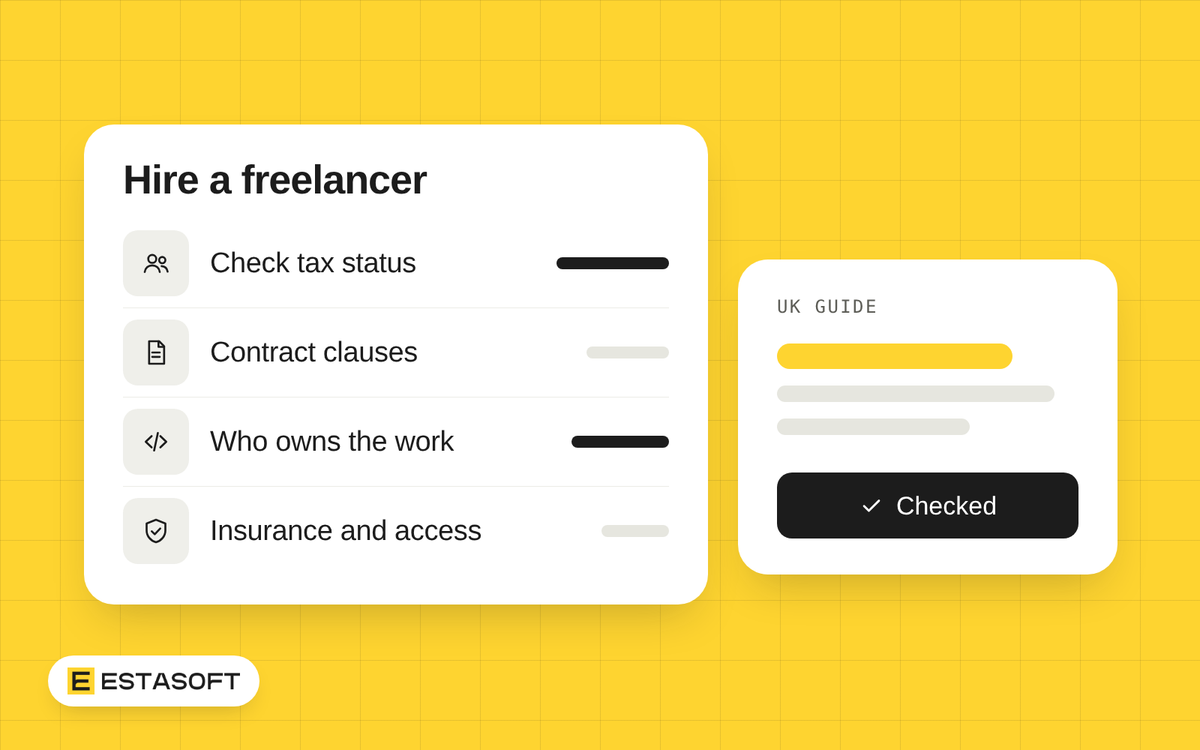
This guide is for UK owners about to sign with a freelancer, or already working with one without a contract. It covers tax status, ownership, a clause list for your solicitor, insurance and store access. Facts come from GOV.UK, the Information Commissioner's Office (ICO), Business.gov.uk and Shopify's Help Center, read on 3 November 2026. For custom software, also read who owns the code in a software project.
Start with tax status
Two questions come up. The first is whether the freelancer is in business on their own account or is closer to an employee. The second applies when they work through their own limited company: the off-payroll working rules, known as IR35.
GOV.UK says someone is probably self-employed if they are self-employed for tax and most of these are true: they bid or quote for work, nobody supervises them directly, they send invoices, they pay their own tax and National Insurance, they get no holiday or sick pay, and the contract calls them self-employed, a consultant or an independent contractor. GOV.UK warns that if status is wrong, individuals and their employers may have to pay unpaid tax and penalties. It also says courts and tribunals can make the final decision.
HMRC offers a tool called Check employment status for tax, and hirers can use it. GOV.UK suggests you gather details first: the contract, who decides what work is done and when, where and how, and how the person is paid. HMRC says it will stand by the result as long as the information you give stays accurate and follows its guidance. The page says you cannot save progress while you complete the tool, so have the answers ready, and keep a copy of the result with your contract.
What IR35 means for you as the client
The off-payroll rules aim to make a worker who supplies services through their own company, or another intermediary, pay roughly the same Income Tax and National Insurance as an employee. They apply when the worker would have been an employee if they had worked for you directly. GOV.UK's overview describes workers who use an intermediary, usually a limited company they control. It does not address sole traders, so if you hire an individual who invoices in their own name, use the status tool and ask an adviser.
Who decides depends on your size. The rules apply to all public sector clients and to medium and large private clients. A private or voluntary sector client is medium or large if it meets two or more of these: annual turnover above £10.2 million, a balance sheet total above £5.1 million, or more than 50 employees. GOV.UK gives a simpler turnover test for clients that are not companies, so read that page if you are a sole trader or partnership.
- If you are small: the freelancer's company decides whether the rules apply, but you must confirm your size if asked. GOV.UK gives a client 45 days to answer a size request.
- If you are medium or large: you decide the status, take reasonable care, and give the worker and the party you contract with a status determination statement with your reasons. If you give no reasons, or do not answer a disagreement within 45 days, the tax responsibility moves to you.
- If you contract directly with the freelancer's company: you are the deemed employer when the rules apply. You must deduct Income Tax and employee National Insurance, and pay employer National Insurance and the Apprenticeship Levy.
Thresholds and rules can change, so check the current GOV.UK pages.
Who owns the work a freelancer builds
Guidance from the Intellectual Property Office on GOV.UK says that when you commission someone to create a work, the creator is the first owner of the copyright unless you agree otherwise in writing. A freelancer under a contract for services usually keeps copyright unless the contract says something else. If the contract is silent, the page says a court may be willing to find an implied licence, and that you may only get a limited, non-exclusive licence. That is not a transfer of ownership.
So paying the invoice does not by itself make the theme code, designs or a custom app yours. You need a clause. The IPO's copyright notice on assignment says an assignment must be in writing and signed by or on behalf of the person giving up the copyright. It can be made before or after the work exists. An assignment transfers ownership, while a licence allows certain uses and the owner keeps ownership. The author also keeps moral rights, such as the right to be identified as the author. They cannot be assigned but can be waived by contract.
Choose a route for each part of the project:
- Assignment: you own the finished work. Ask for this for custom code, designs, copy and photos made for you.
- Licence: you may use the work and the freelancer keeps ownership. This often suits their reusable tools. Ask whether it is exclusive, how long it lasts, and whether you may change the code or hand it to another developer.
List the parts of your project, such as theme edits, custom sections, app code, design files, copy, images, scripts, product data and documentation, and match each to a route. A freelancer cannot assign what they do not own, so ask them to name any third-party parts, such as a purchased theme or app, and who holds each licence. Also settle when ownership passes: on creation or after final payment.
Clauses to ask for
Use this list to brief a solicitor. It is not a template, and a solicitor should write or review the final wording.
- Parties and status. The freelancer's legal name, company number if any, address and how they invoice. Keep a copy of your HMRC status tool result.
- Scope and deliverables. A written list of what you receive and what is excluded. A one-page brief is a good start.
- Acceptance. How you test the work, how many days you have to report faults, and what counts as finished.
- Fees and payment dates. Fee type, invoice dates, expenses, and who pays for themes and apps. GOV.UK describes statutory interest on late business payments at 8% above the Bank of England base rate, and says you cannot claim it if the contract sets a different rate. Agree late-payment terms in writing.
- Ownership. The route for each part, the timing, a licence for reusable tools, a moral rights waiver if you want one, and a list of third-party material.
- Personal data. If the freelancer can see customer or order data, ask your solicitor whether they act as a processor for you. The ICO says a processor contract must cover the details of the processing, and require the processor to act only on your documented instructions, keep data confidential and secure, use another processor only with your written authorisation, return or delete data at the end, and allow audits. The ICO says this guidance is under review after the Data (Use and Access) Act became law on 19 June 2025.
- Subcontractors. Whether the freelancer may bring in another person, and that they need your written approval first.
- Insurance. Which cover they hold and how long they must keep it.
- Fixes after launch. A set period in which they correct faults they caused, and how changes are treated.
- Access and security. How they get into your store, what they may touch, and how credentials are handled.
- Ending the contract. Notice periods, payment for work done, and a handover of files, documentation and access within a set number of days.
- Law and disputes. Which country's law applies and how disputes are handled.
Insurance to ask about
Business.gov.uk says employers' liability insurance is required if people work for you. It lists other common cover. Professional indemnity covers claims that your advice, work or services caused a client a financial loss. Cyber cover protects against losses from data breaches, hacking or lost digital data, and the page says it applies if you trade online or hold customer data.
Ask the freelancer which cover they hold, including public liability, which the page describes as cover for injury or property damage to a member of the public. Request a copy of the certificate, check the limit and renewal date, and write a duty to keep the cover in force into the contract.
Store access: give the least that does the job
Shopify's Help Center describes collaborator accounts for Shopify Partners such as developers, freelancers and agencies. The freelancer sends an access request from their Dev Dashboard and you accept or reject it. You give them a 4-digit request code, and only partners who have it can ask. Each request creates a role based on the permissions asked for, which you can edit, and you can limit access to specific apps and channels. Partners must have two-step authentication on. Access expires if the collaborator has not logged in for 90 days, and you can remove a collaborator permanently. A collaborator cannot take ownership of the store.
- Never share your owner login. Keep the store, domain account and payment accounts in your own name.
- Ask which permissions the freelancer needs and why, and edit the role Shopify creates for the request so it grants no more than the job needs.
- Remove access on the last day. Removed collaborators still show in activity logs and order timelines.
Freelancer or team?
Ask what happens if the freelancer is ill or away for two weeks during a sale, and who else could read and maintain their code. If a team looks safer, choosing a Shopify agency in the UK covers the checks for that route, and the Shopify solutions page describes what an agency can take on.
Checklist before you sign
- You have run the HMRC status tool and know whether you count as small, medium or large for the off-payroll rules.
- The contract states who owns each part of the work, third-party parts are listed, and the timing of ownership is clear.
- Scope, acceptance, payment and data handling terms are in writing.
- You have seen proof of insurance.
- Access is by collaborator account with limited permissions, and a removal date is in your diary.
This is general information, not legal or tax advice. Check the current rules or ask a qualified adviser before you decide.
If you would rather work with a company than an individual, ESTASOFT offers Shopify solutions and has an office in London. Send a short brief on the contact page. Whoever you choose, the clause list above still applies.
Sources
- Understanding off-payroll working (IR35): GOV.UK: what the rules aim to do, who they affect, and that the page does not address sole traders (page shows 26 February 2026) (checked 3 November 2026)
- Off-payroll working for clients: GOV.UK: when the rules apply, the size tests and figures, status determination statements, reasonable care, deemed employer duties and the 45 day disagreement period (page shows 30 August 2024) (checked 3 November 2026)
- Off-payroll working for intermediaries and contractors: GOV.UK: small clients and the 45 day size confirmation (page shows 9 March 2023) (checked 3 November 2026)
- Check employment status for tax (CEST): GOV.UK: what the tool does, who can use it, what to gather first, no saving of progress, and HMRC's position on results (page shows 30 April 2025) (checked 3 November 2026)
- Employment status: Self-employed and contractor: GOV.UK: signs of self-employment and the risk of getting status wrong (page metadata shows 2 November 2026) (checked 3 November 2026)
- Employment status: Overview: GOV.UK: that courts and tribunals can make final decisions on status (page metadata shows 2 November 2026) (checked 3 November 2026)
- Ownership of copyright works: GOV.UK: commissioned work, freelancers, implied licence (page shows 19 August 2014 as published; metadata shows 14 October 2026) (checked 3 November 2026)
- Copyright Notice 2/2014: Assignment of copyright: Intellectual Property Office: assignment in writing, licence versus assignment, moral rights (November 2014) (checked 3 November 2026)
- Late commercial payments: charging interest: GOV.UK: statutory interest rate and contract override (page shows 2 November 2026) (checked 3 November 2026)
- What needs to be included in the contract?: ICO: controller and processor contract terms (no page date; note about the Data (Use and Access) Act) (checked 3 November 2026)
- Insuring your business: Business.gov.uk: types of business insurance and which are legally required (no page date) (checked 3 November 2026)
- Collaborator accounts: Shopify Help Center: request code, roles, limits, expiry and removal (no page date) (checked 3 November 2026)