
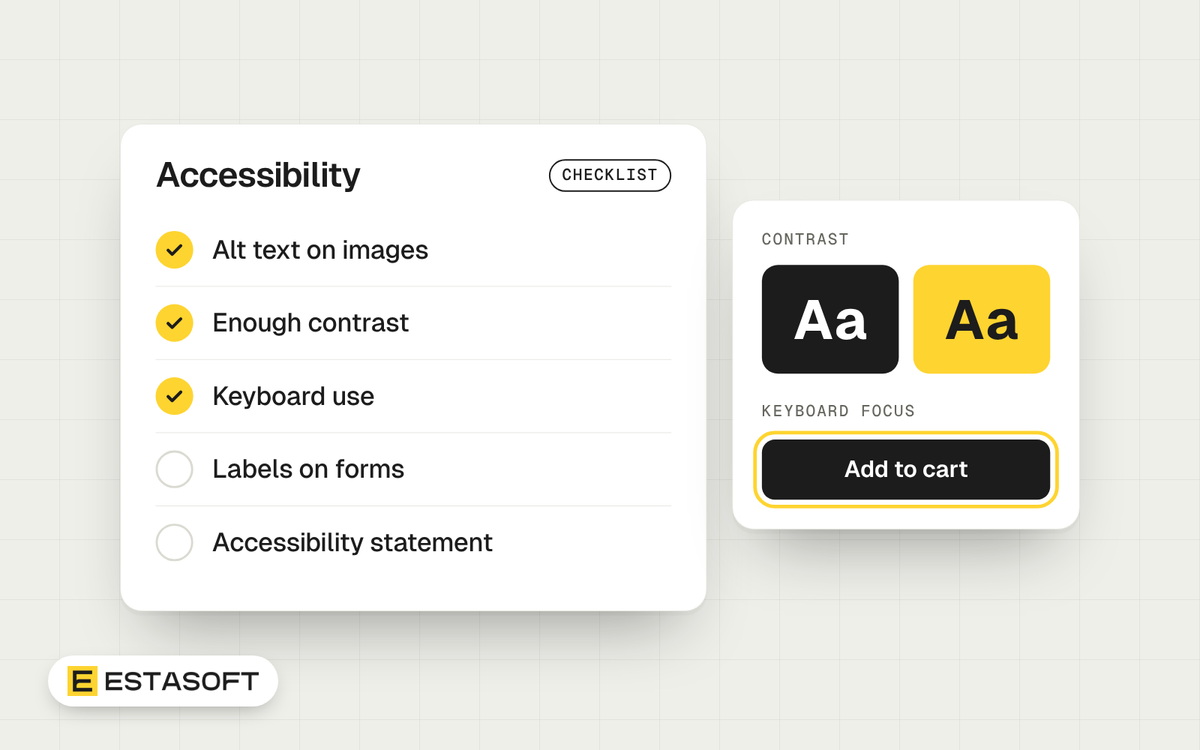
If you sell online to customers in the European Union, the European Accessibility Act matters to you, even if your company is based in the Middle East, the UK, the US or Canada. This guide explains the rule in plain words and gives a checklist you can hand to your designer and developer. It is general information, not legal advice. Ask a lawyer who knows your market before you decide what applies to you.
What the European Accessibility Act is
The European Accessibility Act is an EU law that sets accessibility requirements for a list of products and services, so that people with disabilities can use them. The Council of the EU lists e-commerce among the covered services and states that the act is applicable as of 28 June 2025. The European Union's Your Europe service names online shops as an example.
Does it apply to your store?
- You sell to consumers in the EU. Online stores that sell to consumers are the case the law has in mind. Specialist guidance says that a business based outside the EU is covered when it serves EU consumers, so do not assume that your address protects you.
- You sell only to other businesses. The rules are written for services provided to consumers. If you sell only to companies, ask a lawyer.
- You are very small. Your Europe describes an exception for a service business with fewer than 10 employees and under 2 million euros in turnover, and the Council describes the same group of micro-enterprises as exempt when they provide services. Check the exact test with a lawyer, because countries apply it through their own laws.
Businesses can also argue that meeting the rules would be a disproportionate burden, but they must be able to show evidence for that claim.
What your store has to be able to do
The law is written in broad terms. In practice, store owners work to the same technical benchmark that web teams already use: the Web Content Accessibility Guidelines, usually at level AA. The European standard for digital accessibility, EN 301 549, refers to WCAG 2.1 level AA for web content. WCAG 2.2 adds a few more checks on top, and many teams now aim for 2.2 so that they do not need to redo the work later.
A practical checklist for a Shopify store
Pictures and media
- Every product image has alt text that says what is in the picture.
- Decorative images have empty alt text so screen readers skip them.
- Videos have captions, and nothing plays sound on its own.
Color and text
- Text has enough contrast against its background. WCAG level AA asks for a ratio of at least 4.5 to 1 for normal text.
- Information is never shown by color alone. A sold-out size also says sold out in words.
- The page still works when a visitor enlarges the text or zooms in.
Keyboard and focus
- Every menu, filter, size picker, slider and button can be used with the keyboard only.
- The element in focus is clearly visible.
- Pop-ups and the cart drawer can be closed with the Escape key, and focus returns to where the visitor was.
Structure
- Each page has one main heading, and headings follow in order.
- Links say where they go. Avoid links that only say click here.
- The page language is set correctly, and Arabic pages use right-to-left layout. See Arabic and English on one store.
Forms and checkout
- Every field has a visible label.
- Error messages say what is wrong and how to fix it, and are announced to screen readers.
- A customer can finish an order without a mouse. Test this yourself from the product page through to payment.
Shopify hosts the checkout, so ask Shopify what its checkout supports. Your theme, your apps and your own content are the parts you control, so test those.
Your accessibility statement
Guidance on the act says service providers should publish an accessibility statement. It should say what you support, which parts are still being fixed and how a customer can contact you about a problem. Keep it honest and up to date. Ours is on our accessibility page.
Other countries in your plan
Accessibility is not only an EU topic. In the UK, the Equality Act asks service providers to make reasonable adjustments, and that can include a website. In the US, claims about inaccessible websites are brought under disability rights law, and courts have not all reached the same view. In Canada, some provinces and the federal government set rules for certain organizations. The rules differ by sector and size, so ask a local lawyer. A store built to WCAG level AA is in a better position in every one of these markets, and it is easier to use for everybody.
How to test, step by step
- Use your store with the keyboard only, from the home page to payment.
- Run an automated checker on your main pages. It finds many problems but not all of them.
- Try a screen reader on a phone for the product page and cart.
- Fix the problems in order of how many customers they block.
- Write or update your accessibility statement.
- Repeat after every theme change or new app.
Questions store owners ask
Is there an official certificate?
No single certificate proves that your store meets the act. Many teams use an audit report against WCAG, plus an accessibility statement.
Can an app make my store accessible?
An app can help with some small things, but it does not replace a theme that is built correctly. Fix the theme and the content first.
Does this affect my search ranking?
No one can promise that. Many of the same fixes, such as clear headings, alt text and descriptive links, also help search engines understand your pages. See our Shopify SEO checklist.
Selling into several countries?
Accessibility is one part of selling across borders. Read Selling from the Middle East to the UK, Europe, the US and Canada for the full checklist.
Need a hand?
We can review your theme and key pages and give you a short list of fixes. Ask for a free store review, read about our web development work, or write to us on the contact page.