
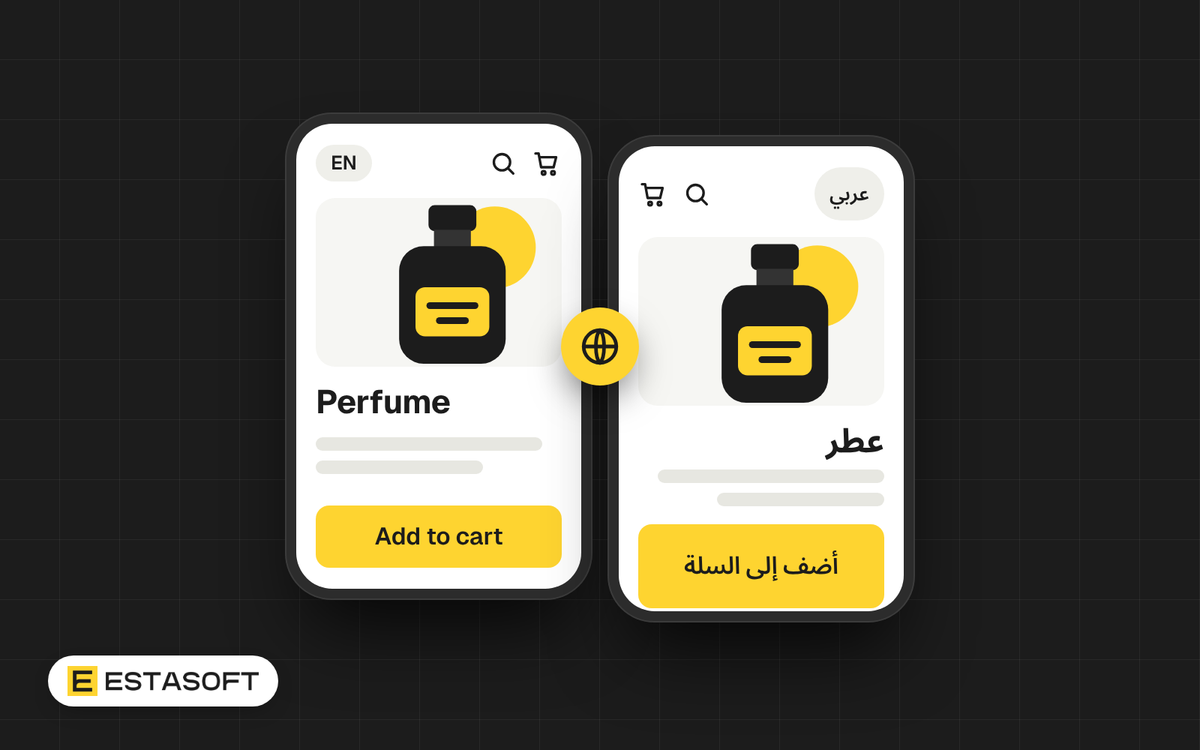
Many brands in the Middle East serve customers in Arabic and in English. Offering both is a good idea, but it is easier and cheaper when you plan it before the design starts. A second language changes the layout, the content, the way search engines find you and the work your team does every week. This guide lists what to decide first.
1. Decide who needs which language
Start with your customers. Which language do most of them read and write in? Do you have a second group who prefer the other one? A store can start in the main language and add the second later, as long as the design allows for it from day one. Also think about who answers messages: a store in Arabic needs staff who can reply in Arabic.
2. Right to left is a layout, not only a font
Arabic is read from right to left. In a proper Arabic store the whole page is mirrored: the menu starts on the right, text is aligned to the right, and icons that point in a direction, such as back, next and arrows in sliders, flip. Phone numbers, prices and brand names written in Latin letters still read left to right inside the sentence, and this must stay tidy. A store that is only translated, but not mirrored, looks broken to the people it is meant for.
When Shopify added automatic Arabic translation, it also told store owners to confirm that their theme supports right-to-left text, and the Shopify Theme Store has a right-to-left filter. Before you buy or build a theme, ask to see the same page in both languages on a real phone.
If your customers read Kurdish in the Sorani script, the same layout rules apply, because it is also written from right to left. Check that your platform and your fonts support it before you promise it.
3. Translate the whole journey
Product pages are only one part. Customers also read:
- the menu, buttons and search
- the cart and the checkout
- error messages and confirmation emails
- delivery, returns, privacy and terms pages
- size guides and care instructions
Banners that carry text inside the picture need one image for each language. It is better to keep text as real text on top of a picture, so you can change it without a designer.
4. Treat machine translation as a first draft
Shopify's Translate & Adapt app can translate Arabic automatically, and it has done so since March 2024. This is useful to get started. But a native reader should check product names, tone and the words your brand uses. Decide which words stay in English, such as brand names and technical terms, and keep that list in one place so everyone follows it.
5. Fix the small things early
- Digits: choose Western digits or Arabic-Indic digits for prices and keep it the same everywhere.
- Fonts: use a font made for Arabic on screens. Arabic letters often need more line spacing than Latin text, so test the sizes on a phone.
- Addresses: ask your courier what they need, and design the address form around it.
- Phone fields: make sure they accept the formats your customers actually type.
6. Think about search from the start
Each language should have its own web address, so search engines can show the right version to the right person. Shopify Markets creates the signals that tell search engines about your language versions (hreflang tags) automatically, and Shopify recommends language folders on your main domain for most stores. Good Arabic content also needs its own keywords, not only translated ones. We cover that in Arabic SEO basics.
7. Plan the upkeep
Every new product, offer and policy now needs two versions. Decide who writes them, who checks them and how long it takes. If this has no owner, one language falls behind and customers notice.
Questions to ask your designer or agency
- Can I see an Arabic page you built, on a phone?
- Which parts of the page mirror, and which stay the same?
- How do you handle banners that contain text?
- Who translates, and who checks the result?
- How will my team add a new product in both languages?
If you are planning a store in two languages, read about our Shopify solutions or send a short brief on the contact page.