
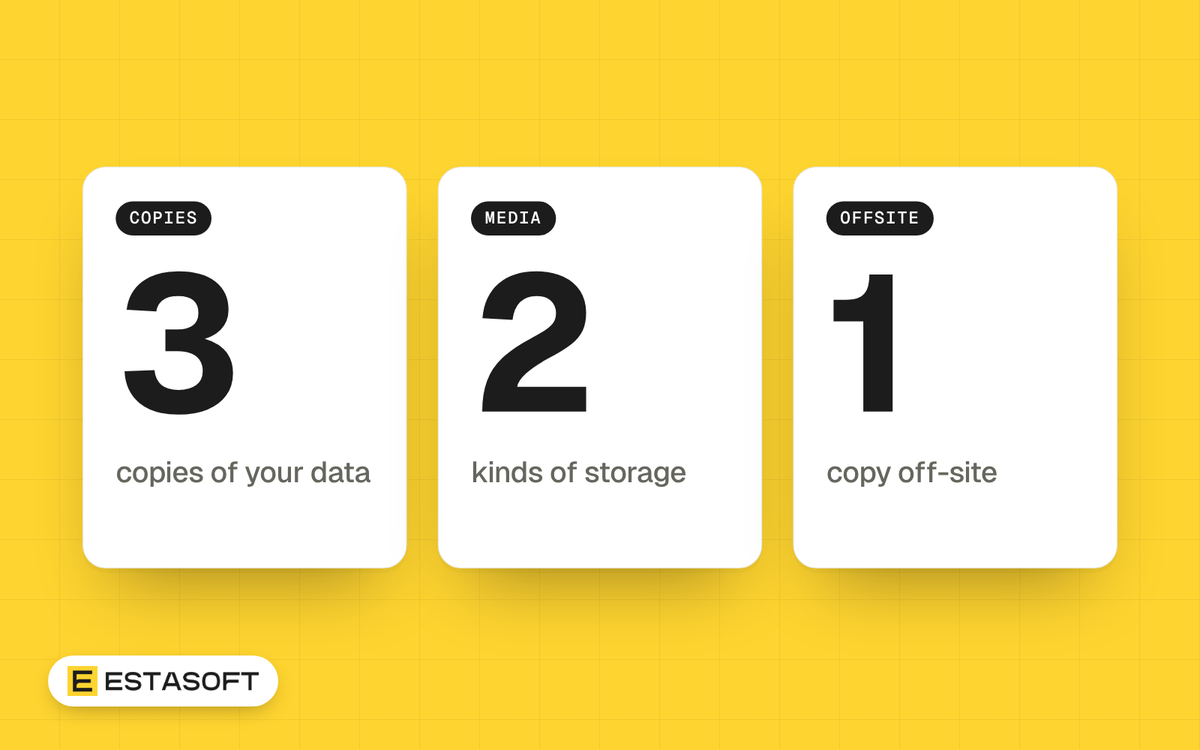
A backup strategy for a business answers one question: if your website, shop, email or files vanished tonight, how fast could you get back to work, and how much would you lose? This guide is for owners and managers who run a website, an online store, email and shared files. You will leave with the 3-2-1 rule, the extra step that ransomware requires, a restore test routine and a plan template.
The facts below were checked on 30 October 2026 against UK, US, Canadian and Australian government pages and platform documentation. This is general information, not legal, tax or professional advice. Check with a qualified adviser for your country, especially if you hold regulated data.
The 3-2-1 rule as three governments state it
The rule is easy to remember, but the wording differs between sources, so read all three.
- CISA (US): three copies of important files, on two different types of storage media (a hard drive and the cloud, for example), with one copy stored off-site, away from your business location.
- NCSC (UK): keep "at least 3 copies, on 2 devices, and 1 offsite", in the NCSC's words. It calls cloud storage a practical offsite option.
- Canadian Centre for Cyber Security: three copies in total, which is one original and two backups, on two media types, with one copy kept off site.
The Canadian version is the clearest for planning. In its wording your live data counts as copy one (one original and two backups), so you need two separate backups, and one of them must be somewhere else.
Why ransomware adds a fourth requirement
The NCSC points out that the 3-2-1 rule does not require any copy to be offline. That matters because ransomware looks for backups. The CISA #StopRansomware Guide (September 2023, written with MS-ISAC, the NSA and the FBI) says many ransomware variants try to find and then delete or encrypt backups they can reach. Its advice is to maintain offline, encrypted backups of critical data and to test their availability and integrity regularly.
The NCSC article Offline backups in an online world (13 August 2019) describes attacks that encrypted original data and the backups connected to it, including USB drives, network storage and cloud storage. Its offline rule is to keep at least one backup disconnected at all times.
Cloud storage cannot be unplugged, so the NCSC suggests imitating disconnection: control the identity that can reach the backups, limit which devices act as backup clients and block connections when the backup is not in use. It also describes access that can only add data, not overwrite it, which works like write-once storage.
CISA's guide mentions immutable storage, which some cloud vendors offer, but advises caution. It does not meet the compliance criteria of certain regulations, and a misconfiguration can be costly. The Canadian baseline for small and medium organizations draws the line by frequency: weekly or longer-term backups must be stored offline, while frequent backups, such as daily ones, may stay online. It also says to encrypt backups and restrict access to them.
What to back up
CISA lists the data to start with: customer and client records, employee and HR information, financial and payroll data, emails and critical communications, configuration files and software settings, and website and operational databases. The NCSC's guide for small organizations adds invoices and documents.
A WordPress or WooCommerce site
The WordPress developer handbook says you need both the database and the files to fully restore a typical site. The database holds posts and site data. The files hold core, themes, plugins and uploads. The handbook suggests weekly backups for smaller sites and daily backups for high-activity sites, and says to back up the database before an upgrade. It advises keeping at least 3 to 5 recent backups, stored in different locations. On restore, put the files back first, then import the database.
A Shopify store
Shopify's help page on backups lists the store information you can export as CSV files: products, customers, orders, gift card codes, discount codes and financial data. You can also download your theme. For a fuller copy, Shopify points to apps in its App Store. One detail matters for planning: the page says orders cannot be imported through the Shopify admin, although third-party apps can import them. Treat the order export as a record you can read, not as a way to rebuild orders.
Cloud services do not remove your part
Microsoft's shared responsibility page, last updated 24 July 2026 as we read it, says that whatever the type of cloud deployment, you always keep responsibility for your data, your endpoints, your accounts and your access management. Microsoft lists Microsoft 365 among its SaaS examples.
Guidance for small businesses on cyber.gov.au (published 20 October 2025) says a backup process might be part of the cloud service, or you might be required to run your own. It asks you to check whether backups are automatic, whether you control how often they happen and what they include, and whether a copy stored elsewhere costs extra. The Canadian Centre's backup tips also say your organization remains responsible for its data and that data residency may matter.
Recovery point and recovery time in plain words
Two terms from NIST (SP 800-34 Revision 1) shape every backup decision.
- Recovery point objective (RPO): the point in time to which data must be recovered after an outage. In plain words: how much recent work you can afford to lose.
- Recovery time objective (RTO): how long a system can stay in recovery before it harms the business. In plain words: how long you can afford to be down.
Your backup schedule sets your RPO. Your restore method sets your RTO. Ask: if we restore last night's copy, which of today's orders and emails are gone, and can we live with that? The Canadian Centre suggests defining in your policy whether backups run daily, weekly or monthly, with full backups periodically (weekly or monthly) and before major system upgrades.
Restore tests: the step most plans skip
CISA says to test so your team can restore data fully and partially and can roll data back at least seven days. The NCSC says to know how to restore and to check that the copy holds all your important data. WordPress's handbook even suggests a manual backup now and then to prove automatic backups work.
- Pick one system, such as the shop or the website.
- Restore it to a separate test location, never over the live one.
- Check that you can sign in and that recent orders, pages and files are present.
- Time the restore (your RTO) and note the newest data you got back (your RPO).
- Write down what failed and fix it.
- Repeat on a schedule, and after any change of provider or plugin.
A backup plan template
Copy this list into a document and fill it in for each system: website, shop, email, accounting, shared files and laptops.
- System and owner: what it is and who is responsible.
- What is included: for example database and files, or CSV exports, theme and an app backup.
- Copies: live data plus two backups, two media types, one off-site.
- Offline or immutable copy: where it is, who can reach it and how it is disconnected.
- Schedule: daily, weekly or monthly, and a backup before every major change.
- Retention: how many versions you keep. Sources above suggest at least 3 to 5 recent ones and a rollback of at least seven days.
- Protection: encrypted backups, restricted access, and two-step verification on online backup accounts, as the NCSC advises.
- RPO and RTO targets: the loss and downtime you can accept.
- Restore test: date, who ran it and the result.
- Contacts: who to call if the provider or the backup tool fails.
Put backups on the same calendar as updates. Our website maintenance checklist shows how.
Mistakes to avoid
- Keeping the only backup on a drive that stays plugged in, where ransomware can reach it.
- Never testing a restore until the day you need one.
- Assuming your cloud provider backs up your data without checking.
- Backing up WordPress files but not the database, or the reverse.
- Using one admin login for both your systems and your backup storage.
- Exporting a Shopify order file and calling it a backup.
Questions owners ask
Is the 3-2-1 rule enough against ransomware?
Not by itself. The NCSC notes that 3-2-1 does not require any copy to be offline, so add one offline or immutable copy and limit who can reach it. CISA also recommends testing your backups regularly.
How often should I back up?
Match it to the data you can afford to lose. WordPress's handbook suggests weekly for smaller sites and daily for busy ones. The Canadian Centre suggests full backups weekly or monthly and before major upgrades. For a shop that takes orders all day, ask your developer about more frequent database backups.
Can cloud storage be my off-site copy?
Yes, the NCSC calls it a practical offsite option. Protect it with strong sign-in, restrict which devices and accounts can reach it, and check that the provider can restore earlier versions of changed files and deleted data.
Need a hand?
If you want a second pair of eyes on your website or store backups, our care plans page lists backups reviewed as part of security checks. For the wider picture, read our IT basics checklist and the WordPress security checklist. To talk about your site, send a short brief on the contact page.
Sources
- CISA: Back up business data
- CISA: #StopRansomware Guide
- NCSC: Offline backups in an online world
- NCSC: Small organisations guide to cyber security, Backing up your data
- Canadian Centre for Cyber Security: Tips for backing up your information (ITSAP.40.002)
- Canadian Centre for Cyber Security: Baseline cyber security controls for small and medium organizations
- Microsoft Learn: Shared responsibility in the cloud
- cyber.gov.au: Cloud shared responsibility model, guidance for individuals and small and medium businesses
- NIST CSRC glossary: Recovery point objective
- NIST CSRC glossary: Recovery time objective
- WordPress Developer Resources: Backups
- Shopify Help Center: Backups and duplication