
This guide is for owners and managers whose business runs on spreadsheets. You will see the real limits of Excel and Google Sheets, what published research says about spreadsheet errors, the signs that it is time to move to one system, and a safe path to get there. We checked the limits and sources on 30 October 2026.
The numbers come from the sources listed at the end. The signs and steps are general guidance, not a fixed standard.
Spreadsheets are good until they become the system
A spreadsheet is fast, familiar and flexible. It is a good tool for one person's analysis, a quick prototype or a small list. Trouble starts when a spreadsheet becomes the place where several people keep business records and run a process: orders, stock, customers, quotes, approvals.
At that point you need rules that the data must follow, different access for different people, and a history of changes. A shared file can offer some of this, but it is hard to enforce across many copies of many files.
The hard limits in Excel and Google Sheets
Microsoft's support page on worksheet and workbook limits, read on 30 October 2026, gives these maximums for Excel:
- A worksheet holds up to 1,048,576 rows and 16,384 columns.
- A cell can contain up to 32,767 characters.
- A formula can be up to 8,192 characters long.
- A worksheet can hold up to 65,530 hyperlinks.
Google's Drive help page, read on the same day, says spreadsheets created in or converted to Google Sheets can have up to 20 million cells or 100MB. It also says that when you convert an Excel file, any cell with more than 50,000 characters is removed in Sheets.
You may meet slow files, version confusion and lost trust long before these limits. Yet when a limit is hit, the failure can be silent. On 4 October 2020, Public Health England said that some files of positive COVID-19 test results had exceeded the maximum file size its systems could load. As a result, 15,841 cases recorded between 25 September and 2 October were left out of the daily figures. PHE's statement did not name the software. UKAuthority noted that press reports at the time blamed Excel spreadsheets that could not hold enough data. The lesson for a business is simple: a size limit can cut off data without a loud warning.
What research says about spreadsheet errors
Raymond Panko of the University of Hawaii summarized the research at the EuSpRIG 2015 conference. His table of field audits covers six studies of 85 spreadsheets inspected in depth, and errors were found in 94% of them. Single studies ranged from 86% to 100%. The studies in the table date from 1995 to 2001 and cover a small number of spreadsheets, so treat 94% as a warning and not as a forecast for your own file.
The same paper reports cell error rates of 1.2%, 2.2% and 2.5% in field audits, and an average of 3.9% across 14 laboratory studies with 967 people. A few errors per hundred cells sounds small. Panko concludes that in large spreadsheet models, at least one wrong bottom-line value is very likely.
A second study shows a different risk: the software itself can change your data. In 2016, Mark Ziemann, Yotam Eren and Assam El-Osta published a study in Genome Biology. They screened supplementary files from 18 journals published from 2005 to 2015 and found 35,175 Excel files, of which 7,467 held gene lists. They confirmed gene name errors in 987 files from 704 papers, which is 19.6% of the papers with Excel gene lists. Excel had turned names such as SEPT2 and MARCH1 into dates like 2-Sep and 1-Mar. If a code or ID in your own files looks like a date or a number, check it.
Signs it is time to move
Count how many of these describe your business:
- The same data is typed in more than one file or system.
- People ask "which file is the latest?" or keep copies with names like final-v7.
- One person understands the formulas, and the business stops when they are away.
- Everyone who opens the file can see and change everything, including prices, salaries or customer details.
- You cannot tell who changed a number, when, or what it was before.
- Approvals travel by email and chat, and sometimes get lost.
- Your web shop, accounting tool or email system needs the same data, and you copy it across by hand.
- The file is slow, crashes, or is close to the limits above.
- Reports take hours to prepare and still get questioned.
As a rule of thumb, which is ours and not a standard, three or more of these mean you should plan the move. One or two mean you should fix the habits first: one owner per file, locked formulas, a template for entry.
What "one system" means
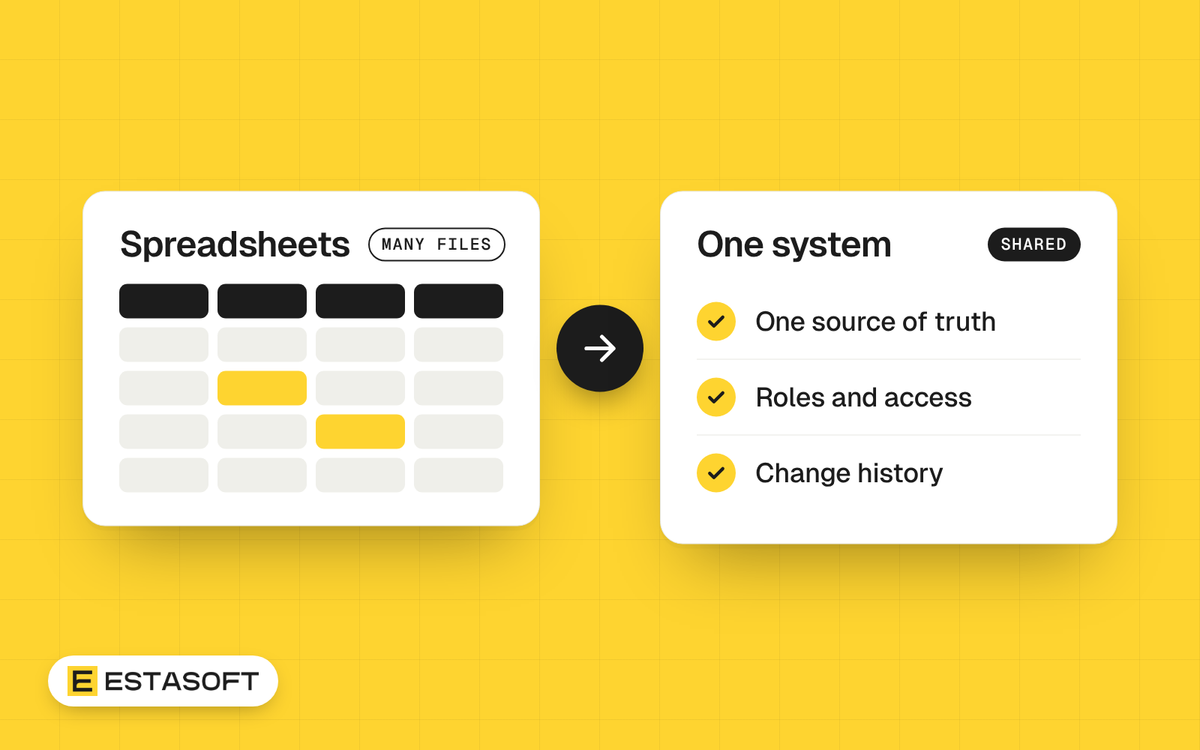
One system means one source of truth. Each fact is stored in one place, and every report and screen reads from it. A typical system has these parts:
- A database, with a table for each thing you track, such as customers, products and orders.
- A unique key for every record, so two records are never confused.
- Input rules, so a date field accepts only a date and a status field accepts only the allowed statuses.
- Roles and permissions, so people see and change only what their job needs.
- An audit trail that records who changed what and when.
- Reports and connections to your other tools.
You have three ways to get there: strict habits on top of spreadsheets, a ready-made tool, or custom software. Our guide on custom software or off-the-shelf shows how to choose between the last two.
A migration path in eight steps
- List every spreadsheet. Record the owner, the purpose, the users and what other files or tools depend on it. Look for formulas that link to other files.
- Describe the process in plain words. Who enters what, who approves, which reports people need each week.
- Name the things you track. Customers, products, orders and suppliers become tables, and the links between them become relationships.
- Choose a key for each record. Use an ID that never changes and is never reused. Do not use names or email addresses as keys, because they repeat and change.
- Clean a copy of the data. Use the cleanup checklist below and keep a log of every change.
- Set roles and access. Decide who can view, add, edit, approve, delete and export. Remove a leaver's access on their last day.
- Add an audit trail. Keep a log of who changed which record, when, and the old and new value.
- Test, compare, then switch. Load the data into a test system. Compare record counts and totals with the old files. Run both for an agreed short period. Then make the old files a read-only archive with a date on them.
Data cleanup checklist
- Remove duplicate customers, products and suppliers.
- Use one spelling for each name, one unit for each measure and one currency per column.
- Write dates in one format, and check that no code or ID was turned into a date.
- Store codes with leading zeros as text.
- Remove merged cells, notes typed into data cells and blank rows.
- Give phone numbers one format, with the country code.
- Find formulas that point to other files, and decide where each value will live.
Mistakes to avoid
- Moving everything on the first day instead of starting with the process that hurts most.
- Copying the mess: importing duplicates and inconsistent names into the new system.
- Leaving the data without an owner who decides the rules.
- Running two live systems for months, so nobody knows which is right.
- Forgetting the small spreadsheets that feed monthly reports.
- Skipping a backup of the old files before the switch.
Questions owners ask
How many rows are too many for a spreadsheet?
The limits are 1,048,576 rows in Excel and 20 million cells in Google Sheets, but speed and trust usually fail earlier. Judge by the signs above, not by a row count.
Can we keep using Excel after the move?
Yes, for analysis and one-off reports. The master records should live in the system, and Excel should read exports from it. Ask the supplier to show an export before you agree, and make sure the contract says who owns the system and the data. Our guide on who owns the code in a software project explains why.
How long does a move take?
It depends on the number of files, the state of the data and the number of processes. Nobody can give an honest estimate without seeing a sample of your files, so ask any supplier to review a sample first.
Need a hand?
If your business runs on spreadsheets and you want to plan the move, send a short brief on the contact page. Our custom software page describes internal tools, portals and integrations that replace spreadsheets and manual steps.
Sources
- Microsoft Support: Worksheet and workbook specifications and limits
- Google Drive Help: Files you can store in Google Drive
- GOV.UK: PHE statement on delayed reporting of COVID-19 cases
- UKAuthority: PHE confirms file size issue caused COVID-19 undercounting
- Raymond R. Panko, EuSpRIG 2015: What we don't know about spreadsheet errors today
- Ziemann, Eren and El-Osta, Genome Biology 2016: Gene name errors are widespread in the scientific literature