
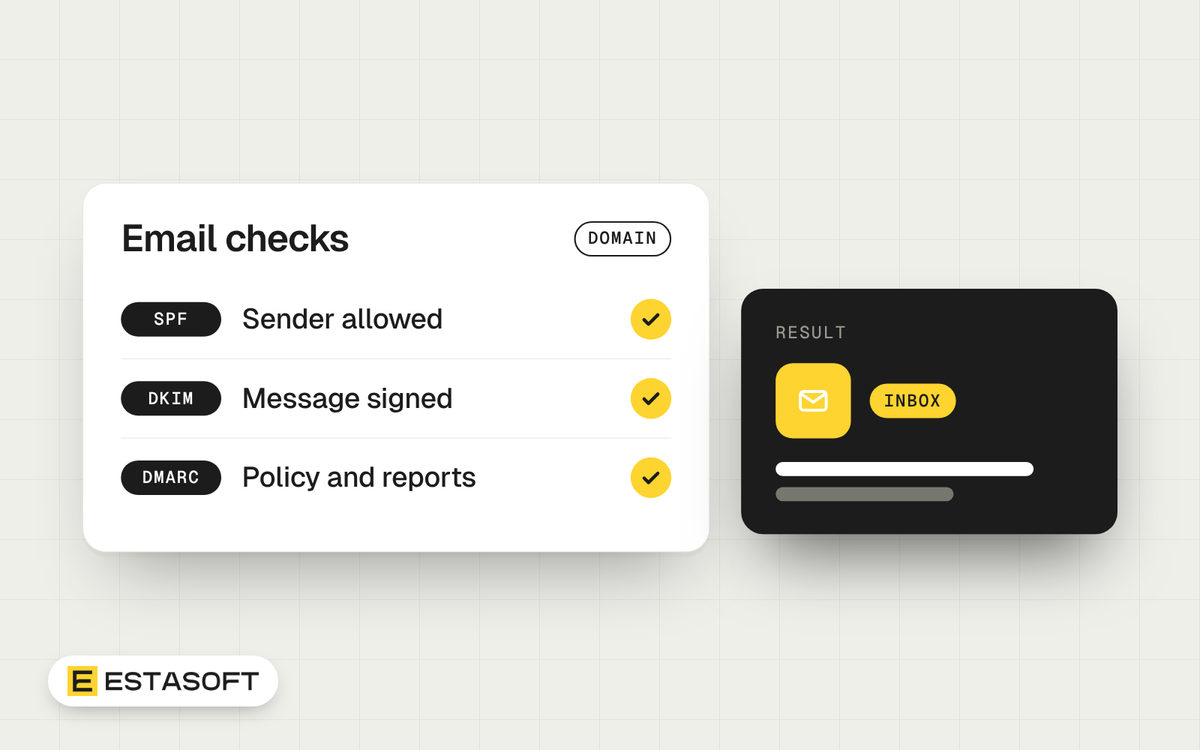
SPF, DKIM and DMARC are three DNS-based checks that help receiving mail servers decide whether an email really comes from your domain. This guide is for owners and managers whose business email lands in spam, or whose domain someone could fake. You will learn what each record does, what Gmail, Yahoo and Outlook.com ask of senders, the order to set them up and how to test the result.
We read the provider pages and internet standards listed under Sources on 30 October 2026. This is general information, not legal, tax or professional advice. Check with a qualified adviser for your country, and see our note on privacy and consent for marketing email.
What each record does
All three are published in your domain's DNS settings. Our guide to domains, DNS and hosting explains where to find them. The records below are examples with placeholder names such as example.com. Your email provider gives you the real values.
SPF: who may send for your domain
SPF (Sender Policy Framework) is a TXT record, starting with v=spf1, that lists the servers allowed to send mail for your domain. Example: v=spf1 include:mail.example.net ~all
- Publish one SPF record per domain. RFC 7208 says a domain must not have several, and a check that finds more than one returns a permanent error (permerror).
- An SPF check may cause at most 10 DNS lookups. The include, a, mx, ptr, exists and redirect terms count, while ip4, ip6 and all do not. Past 10, the result is permerror, so every tool you add with include: uses part of that allowance.
- The ending sets the verdict for everything not listed. RFC 7208 calls -all an explicit statement that the sender is not authorized, and ~all a weak statement that it is probably not authorized.
DKIM: a signature on each message
DKIM (DomainKeys Identified Mail) adds a digital signature to each message. The receiver finds your public key in DNS and checks the signature. A selector is a label that lets one domain publish several keys, and the key sits at a name of the form selector._domainkey.yourdomain. Example name: selector1._domainkey.example.com. Example TXT value: v=DKIM1; k=rsa; p=PUBLIC-KEY-TEXT
Some providers, such as Microsoft 365, ask for a CNAME record that points to a key they host.
DMARC: what to do when the checks fail
DMARC (Domain-based Message Authentication, Reporting and Conformance) is a TXT record published at _dmarc.yourdomain. It tells receivers how to handle failing mail and where to send reports. Example name: _dmarc.example.com. Example TXT value: v=DMARC1; p=none; rua=mailto:dmarc-reports@example.com
The v=DMARC1 tag must come first, or the record is ignored. That rule is in RFC 9989, the DMARC standard published in May 2026, which replaced RFC 7489.
The key idea is alignment. A message passes DMARC when SPF or DKIM passes and the domain it checked matches the domain in the visible From address. Relaxed alignment, the default, needs the same organizational domain. Strict alignment needs an exact match. A message can pass SPF for a vendor's domain and still fail DMARC for yours.
The three DMARC policies
- none means you state no preference about failing mail. Start here and collect reports.
- quarantine means you consider failing mail suspicious. Receivers decide what to do with it, for example send it to the spam folder.
- reject means you treat failures as a clear sign the domain use is not valid, and you ask receivers to refuse the mail. Yahoo says that at p=reject, any message without a proper DKIM signature or SPF alignment is rejected.
A record with no p tag is treated as p=none under RFC 9989. The rua tag says where aggregate reports go, and if you leave it out, receivers must not send them. Under RFC 9990 the reports are XML files that should be compressed with GZIP, sent daily or more often.
What Gmail, Yahoo and Outlook.com require
The strictest rules apply to bulk senders, but every sender gains by authenticating. At the time of writing (30 October 2026), the three providers publish the following.
Google (Gmail)
- From 1 February 2024, all senders to personal Gmail accounts need SPF or DKIM, valid forward and reverse DNS, TLS, RFC 5322 formatting and a spam rate below 0.3% in Postmaster Tools.
- Google defines a bulk sender as one sending about 5,000 or more messages in 24 hours to personal Gmail accounts, counted across the same primary domain. The status has no expiry date.
- Bulk senders also need SPF, DKIM and DMARC (a policy of none is enough), a From domain aligned with the SPF or DKIM domain, and one-click unsubscribe plus a visible unsubscribe link on marketing and subscribed messages. Keep the spam rate below 0.10% and never reach 0.30%.
- Google gave senders until 1 June 2024 to add one-click unsubscribe to commercial and promotional messages, and says it has been ramping up enforcement since November 2025. It recommends SPF, DKIM and DMARC for every sender and warns that unauthenticated mail might be rejected with a 5.7.26 error.
Yahoo
- Yahoo said enforcement would begin gradually in February 2024, with unsubscribe rules from June 2024.
- All senders need SPF or DKIM, a spam rate below 0.3%, valid forward and reverse DNS, and messages that follow RFC 5321 and RFC 5322.
- Bulk senders need both SPF and DKIM, a passing DMARC policy of at least p=none, a List-Unsubscribe header (the RFC 8058 POST method is highly recommended, mailto is accepted), a visible unsubscribe link and unsubscribes honored within 2 days.
Microsoft (Outlook.com)
- Domains sending more than 5,000 emails a day to Outlook.com accounts must be fully compliant with SPF, DKIM and DMARC. Microsoft says this took effect on 5 May 2025.
- SPF and DKIM must pass. DMARC must be at least p=none (p=reject is recommended) and align with SPF or DKIM, preferably both.
- Non-compliant mail goes to the junk folder. Microsoft also lists a rejection text, 550 5.7.515, saying the sending domain does not meet the required authentication level.
One-click unsubscribe uses a List-Unsubscribe header with an HTTPS address plus a List-Unsubscribe-Post header, and RFC 8058 says the DKIM signature must cover both. In the US, the FTC says CAN-SPAM requires you to honor an opt-out within 10 business days, with no exception for business-to-business email. At the time of writing, its page lists penalties of up to $53,088 per violating email.
Setup order
This is a typical, general order. Your provider's instructions come first.
- List every service that sends email as your domain, such as your mailbox provider, contact forms, store notifications and newsletter tools.
- Set up SPF and DKIM in each service. Keep one SPF record, within the 10-lookup limit.
- Publish a DMARC record with p=none. Send the rua reports to a shared mailbox that named people watch, as Microsoft advises.
- Read the reports for a few weeks and fix every legitimate sender that fails.
- Move to quarantine, then reject, once legitimate mail passes. With many subdomains, Microsoft suggests doing them first and the main domain last.
- Keep marketing mail and order or account mail on separate streams. Yahoo says not to send bulk mail from the same IP addresses as transactional mail.
- Recheck after you add or change any tool that sends mail.
How to test
- Send a test from each tool to addresses at two or three other providers.
- In Gmail, a "Mailed by" or "Signed by" line under the sender name shows authentication, and a question mark means the message is not authenticated. In other apps, find the Authentication-Results header and look for spf=pass or dkim=pass.
- Check bounces for authentication errors: Yahoo's 553 and 554 mean a failed DMARC or DKIM policy, alongside Google's 5.7.26 and Microsoft's 550 5.7.515.
- Retest later, because resolvers may cache a DNS answer for the record's TTL (RFC 1035).
Protect the mailbox login too. The NCSC says a hacked inbox can expose banking details and allow impersonation, and advises passkeys for staff email where supported, or else 2-step verification. See our IT basics checklist.
An email authentication checklist
- The company, not a freelancer, owns the domain and DNS accounts.
- SPF and DKIM are set up for each tool, with one SPF record and no more than 10 lookups.
- DKIM keys are at least 1024 bits, which Yahoo requires, and 2048 bits where possible.
- A DMARC record exists, with an rua address that goes to a monitored mailbox.
- Marketing emails have one-click unsubscribe, and requests are honored within 2 days.
- Spam complaints are checked, aiming below 0.1% at Google and always below 0.3%.
Mistakes to avoid
- Setting p=reject on day one, before every legitimate sender is listed.
- Pointing the rua address at a mailbox nobody reads.
- Adding a second SPF record for a new tool instead of editing the first.
- Adding a newsletter, CRM or store app without setting up its SPF and DKIM.
- Treating unsubscribe as optional for marketing messages.
Questions owners ask
Do I need all three records?
Google, Yahoo and Microsoft all ask high-volume senders for SPF, DKIM and DMARC. Google recommends all three for every sender, and the Canadian Centre for Cyber Security baseline asks small and medium organizations for DMARC on all email services.
Do order confirmation emails need an unsubscribe link?
Yahoo's FAQ says one-click unsubscribe does not apply to transactional messages such as order confirmations and password resets. Google asks for it on marketing and subscribed messages. Consent rules for marketing email vary by country, so ask an adviser.
What counts as a bulk sender?
Google means about 5,000 or more messages in 24 hours to personal Gmail accounts, and Microsoft means more than 5,000 a day to Outlook.com accounts. Yahoo will not specify a volume. Count every tool that sends as your domain, because Google counts by primary domain.
Need a hand?
If your website, store or contact forms send email on your behalf, send a short brief on the contact page and we reply with next steps. Our eCommerce solutions page lists the store work we do.
Sources
- Google: Email sender guidelines
- Google: Email sender guidelines FAQ
- Google: Check if your Gmail message is authenticated
- Microsoft: Policies, Practices, and Guidelines (Outlook.com Postmaster)
- Microsoft Learn: How to use DKIM for email in your custom domain
- Microsoft Learn: Set up DMARC to validate email in Microsoft 365
- Yahoo Sender Hub: Sender best practices
- Yahoo Sender Hub: FAQs
- Yahoo Sender Hub: SMTP error codes
- IETF: RFC 7208, Sender Policy Framework (SPF)
- IETF: RFC 6376, DomainKeys Identified Mail (DKIM) Signatures
- IETF: RFC 9989, DMARC
- RFC Editor: RFC 9990, DMARC Aggregate Reporting
- IETF: RFC 8058, Signaling One-Click Functionality for List Email Headers
- IETF: RFC 1035, Domain names, implementation and specification
- FTC: CAN-SPAM Act, A Compliance Guide for Business
- Canadian Centre for Cyber Security: Baseline cyber security controls for small and medium organizations
- NCSC: Small organisations guide to cyber security, Secure your email